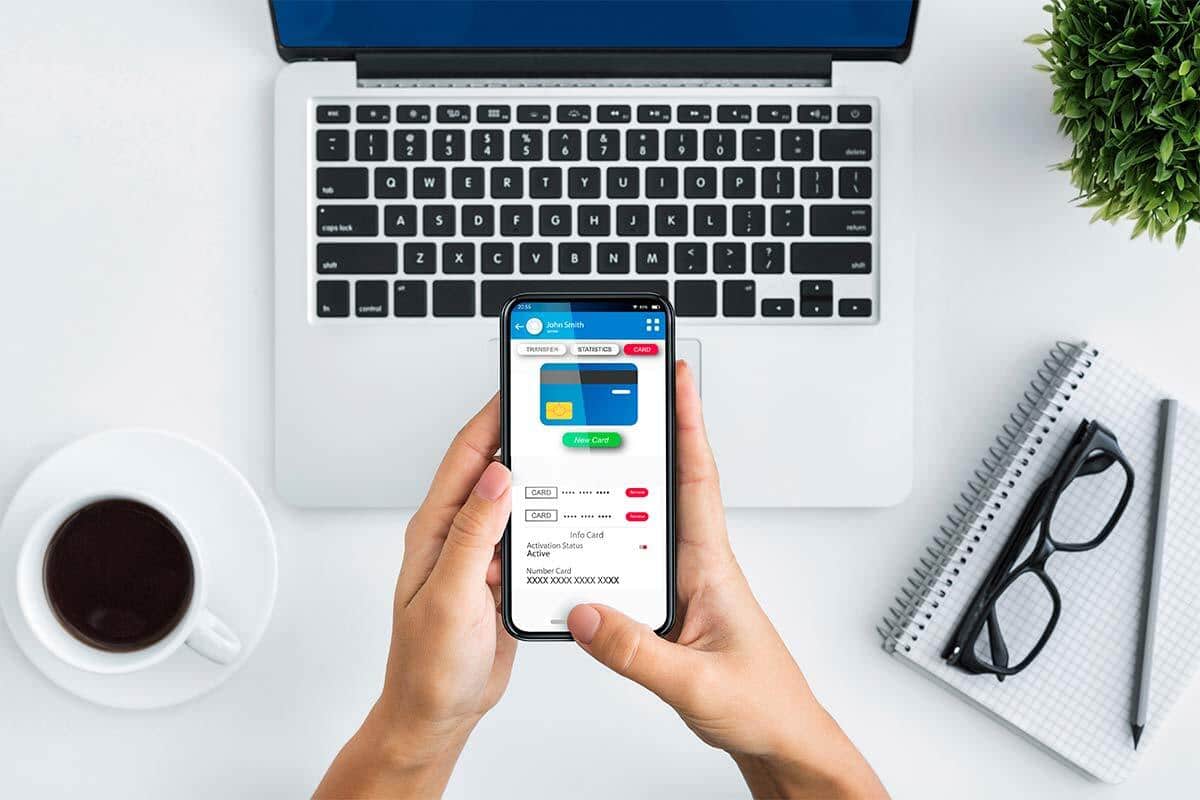
15 Mobile Banking Safety Tips That Can Help Protect Your Money
15 Mobile Banking Safety Tips That Can Help Protect Your Money
Mobile banking makes it easier to check balances, transfer money, pay bills and manage accounts from almost anywhere. But protecting your phone, passwords and banking information is essential. These 15 practical mobile banking safety tips can help reduce your exposure to scams, phishing and unauthorized account access.
To use mobile banking more safely, download your bank's official app, use a strong unique password, enable multifactor authentication, protect your phone with a strong screen lock, keep your operating system and banking app updated, watch for phishing messages, never share verification codes, review account alerts and transactions regularly, and contact your bank directly when something looks suspicious.
Why Mobile Banking Security Matters
Your phone may contain access to much more than text messages and photographs. It can also connect to your bank accounts, payment apps, email, passwords and other sensitive financial information.
That convenience makes smartphones useful financial tools. However, it also means a compromised phone, stolen password or successful phishing attack can create serious problems.
Fraud does not always begin with someone technically “hacking” a bank. In many cases, criminals try to manipulate the customer instead.
A scammer may pretend to be your bank, send a fake fraud warning, pressure you to click a link or ask for a verification code.
Strong mobile banking safety therefore requires both technical protection and careful decision-making.
15 Mobile Banking Safety Tips at a Glance
| # | Safety Tip | Main Risk It Helps Reduce |
|---|---|---|
| 1 | Use your bank's official app | Fake or malicious banking apps |
| 2 | Create a strong unique password | Password reuse and account takeover |
| 3 | Enable multifactor authentication | Unauthorized login after password theft |
| 4 | Use a strong phone screen lock | Physical access to a lost or stolen phone |
| 5 | Keep your phone and banking app updated | Known software vulnerabilities |
| 6 | Watch for phishing messages | Fake bank texts, emails and websites |
| 7 | Never share verification codes | Scammers bypassing login security |
| 8 | Use account and transaction alerts | Unauthorized transactions going unnoticed |
| 9 | Review your account regularly | Delayed fraud detection |
| 10 | Be careful on public Wi-Fi | Unsafe connections and fake networks |
| 11 | Do not save banking passwords carelessly | Credential exposure |
| 12 | Protect your phone number and SIM | SIM-swap and account-recovery attacks |
| 13 | Verify recipients before sending money | Wrong-person payments and scams |
| 14 | Know how to lock your card quickly | Unauthorized spending after card loss |
| 15 | Act immediately if something looks wrong | Fraud losses becoming larger |
The 15 Mobile Banking Safety Tips
Download Only Your Bank's Official Mobile App
Your first security decision happens before you even log in.
Download banking apps through the official application store for your device and confirm that the app genuinely belongs to your financial institution.
Be particularly cautious about banking apps reached through advertisements, unexpected text messages or unfamiliar download links.
If you are unsure which app is legitimate, visit your financial institution's official website or contact the bank using a phone number you already know is genuine.
Use a Strong, Unique Password for Mobile Banking
Your banking password should not be the same password you use for social media, shopping websites or entertainment accounts.
Password reuse creates unnecessary risk. If another website suffers a data breach and criminals obtain your reused password, they may try the same credentials on banking and email accounts.
A strong password should be difficult to guess and unique to your financial account.
Consider using a reputable password manager to generate and securely store unique passwords rather than trying to memorize variations of the same password.
Turn On Multifactor Authentication
Multifactor authentication adds another verification step beyond your password.
Depending on your bank, this may involve an authenticator, device confirmation, security key, biometric verification, text code or another method.
The extra layer can make account takeover more difficult if someone obtains your password.
Enable the strongest authentication options your financial institution supports and that you can use reliably.

Secure Your Phone With a Strong Screen Lock
Your banking app may be protected by a password, but the phone itself also needs protection.
Use a strong PIN, password or supported biometric lock such as fingerprint or facial recognition.
Avoid weak PINs such as 1234, 0000 or easily guessed personal dates.
A strong device lock gives you another barrier if your phone is lost or stolen.
Also configure your device so it locks automatically after a reasonably short period of inactivity.
Keep Your Phone and Banking App Updated
Operating-system and application updates are not only about adding new features.
Updates can also fix known security weaknesses.
Using an outdated phone operating system, browser or banking app can leave vulnerabilities unpatched.
Turn on automatic updates when practical and periodically check that your phone's operating system and banking applications are current.
Learn to Recognize Bank Phishing Messages
A phishing message tries to convince you that it came from a trusted organization when it actually came from a scammer.
The message may claim that your bank account has been frozen, a suspicious payment has occurred or you must immediately “verify” your identity.
Scammers often rely on urgency because frightened customers are more likely to click before thinking.
Instead of using the link inside an unexpected message, open your banking app directly or contact your bank through a known official channel.
Be suspicious when a message pressures you to click immediately, send money, reveal a password or provide sensitive information to prevent some supposed emergency.
Never Share a Banking Verification Code
Verification codes are designed to help prove that the person attempting to access an account is really you.
A scammer who already knows your username and password may try to convince you to read them the code that arrives on your phone.
Doing so can help the scammer complete the login.
Never give a one-time verification or authentication code to someone who unexpectedly contacts you and asks for it, even when the caller claims to work in your bank's fraud department.
Turn On Banking and Transaction Alerts
Account alerts can help you notice suspicious activity more quickly.
Many banks allow customers to receive alerts for large purchases, withdrawals, low balances, transfers, deposits, password changes or other account events.
The right alert settings depend on how you use the account.
At minimum, consider alerts for unusually large transactions, transfers and other activity you would want to know about quickly.

Review Your Transactions Regularly
Alerts are useful, but they do not replace reviewing your account.
Open your banking app periodically and look through recent transactions.
Pay attention to unfamiliar merchants, unexpected transfers, duplicate transactions or withdrawals you do not recognize.
Smaller unauthorized transactions also deserve attention. Do not ignore something simply because the amount is low.
A short weekly account review can make financial monitoring part of your normal routine.
Be Careful When Mobile Banking on Public Wi-Fi
Public Wi-Fi is common in airports, hotels, restaurants, shopping centers and coffee shops.
Modern encrypted websites and apps provide considerably more protection than older internet connections did. However, you should still be careful about which network you join and what information you share.
Fake Wi-Fi networks can also be created with names that look similar to legitimate networks.
When possible, use a trusted connection or your cellular data for sensitive banking activity. Keep your device updated and verify that websites use secure HTTPS connections before entering sensitive information.
Do Not Store Banking Passwords in Unsafe Places
A strong password loses much of its value if it is stored somewhere that another person can easily read.
Avoid keeping banking credentials in unprotected notes, screenshots, ordinary text messages or other insecure locations on your phone.
Instead, use a reputable password manager or another secure method.
Protect your email account particularly carefully because email can sometimes be used during password-recovery processes.
Protect Your Phone Number Against SIM-Swap Risks
Your phone number can play an important role in account recovery and authentication.
In a SIM-swap attack, a criminal may try to convince a mobile provider to transfer your phone number to another SIM or device.
If successful, the attacker may receive calls or text messages intended for you.
Ask your mobile carrier what protections it offers against unauthorized number transfers, such as an account PIN or port-out lock.
If your phone unexpectedly loses cellular service while other nearby phones continue working normally, investigate quickly rather than assuming it is an ordinary network problem.
Double-Check Who You Are Sending Money To
Mobile banking and payment apps make sending money extremely fast.
Speed becomes dangerous when you send money to the wrong person or respond to a fraudulent request.
Before approving a payment, verify the recipient's name, account information and amount.
If someone you know unexpectedly requests money through a text message or app, confirm the request through another trusted method.
Be extremely suspicious if someone claims your bank account is under attack and tells you to move money to another account, cryptocurrency wallet or payment service to “protect” it.
Know How to Lock or Freeze Your Card Quickly
Many banking apps let customers temporarily lock or freeze a debit or credit card.
This can be useful when you cannot find your card and are not yet sure whether it has been permanently lost or stolen.
Learn where this control is located before an emergency occurs.
A card lock is not a substitute for formally reporting a lost or stolen card when required. Contact your financial institution promptly when appropriate.
Act Quickly When Something Looks Wrong
Do not wait several days hoping an unfamiliar transaction will explain itself.
If you believe someone gained access to your mobile banking account, contact the financial institution through its official channel as soon as possible.
You may also need to change passwords, secure your email account, review authentication settings, lock cards or take other steps recommended by your bank.
Save your bank's official fraud-reporting contact information somewhere accessible so that you do not have to search for it while under pressure.
Real-Life Example: The Fake Bank Fraud Alert
Maria Receives an Urgent Text
Maria receives a text message that appears to come from her bank.
It says an unauthorized purchase has been detected and asks her to click a link immediately to stop the transaction.
The message looks convincing because it uses the bank's name and creates a sense of urgency.
Instead of clicking, Maria closes the message and opens the official banking app that was already installed on her phone.
She sees no fraud alert.
Maria then contacts the bank through the official number shown inside the app and confirms that the text did not come from the institution.
Key lesson: Do not let urgency decide how you contact your bank. Use a communication channel you independently know is legitimate.
Case Study: The Verification-Code Scam
David Gets a Call From the “Fraud Department”
David receives a call from someone who claims that suspicious activity has been detected on his checking account.
The caller knows David's name and some basic personal information, making the call sound legitimate.
While David is on the phone, a verification code arrives by text.
The caller asks David to read the code aloud so that the “fraud investigation” can continue.
David remembers that authentication codes should not be shared with unexpected callers.
He ends the call and contacts his bank through the official number on the back of his debit card.
The bank confirms that the original caller was not an employee.
Key lesson: Knowing one security rule can sometimes stop an entire account-takeover attempt.

Common Mobile Banking Threats
| Threat | How It May Appear | Safer Response |
|---|---|---|
| Phishing text | Urgent message claiming your account is locked | Open the bank app directly instead of clicking |
| Fake phone call | Caller claims to be bank security | Hang up and call the official bank number |
| Verification-code scam | Someone asks you to read a code | Never share the code |
| Fake banking app | App imitates a legitimate institution | Download through verified official sources |
| Password reuse | Same password used across multiple sites | Use unique banking credentials |
| SIM swap | Phone suddenly loses cellular service | Contact mobile carrier quickly |
| Lost phone | Someone gains physical possession of device | Use screen locks and remote-device controls |
| Payment scam | Someone pressures you to transfer money | Verify independently before sending |
What Should You Do If Your Phone Is Lost or Stolen?
Immediately
- Use available remote-device tools.
- Lock the phone remotely if possible.
- Contact your mobile carrier.
- Review financial accounts.
- Contact your bank when necessary.
Then Review
- Banking passwords
- Email password
- Payment apps
- Saved cards
- Authentication settings
- Recent transactions
What to Do If You Notice an Unauthorized Transaction
- Contact your bank or credit union promptly. Use the official banking app, website, debit-card number or another verified channel.
- Explain exactly what you found. Identify the transaction, amount and date.
- Follow the institution's fraud-reporting process.
- Change compromised credentials when appropriate.
- Review other transactions. Look for additional suspicious activity.
- Secure your email and mobile account. These may be connected to password recovery.
- Continue monitoring the account.
Mobile Banking Safety vs Convenience
| Convenient Habit | Possible Risk | Safer Alternative |
|---|---|---|
| Reusing one easy password | One breach may expose several accounts | Use unique passwords |
| Clicking bank links in texts | Could lead to phishing sites | Open the official app yourself |
| Ignoring software updates | Security fixes may be missing | Install updates promptly |
| Leaving phone unlocked | Physical access becomes easier | Use strong screen security |
| Turning off alerts | Fraud may remain unnoticed longer | Enable useful account notifications |
| Sending money immediately | Scammers exploit urgency | Verify the recipient first |
7 Mobile Banking Red Flags You Should Never Ignore
1. Someone Says You Must Act Immediately
Urgency is one of the most common tools used in financial scams.
2. Someone Asks for Your Password
Do not provide banking passwords to callers, texters or email senders.
3. Someone Asks for a Verification Code
A verification code may be the final piece a criminal needs to access your account.
4. Someone Tells You to Move Money to “Keep It Safe”
A request to move your money to another account, cryptocurrency wallet or payment service for “protection” is a major scam warning.
5. A Message Contains an Unexpected Login Link
Instead of using the link, open your bank's official app or type the known web address yourself.
6. Your Phone Suddenly Loses Service
Unexpected loss of cellular service can have innocent explanations, but it can also justify checking with your mobile carrier when other warning signs exist.
7. Your Banking App Shows Activity You Do Not Recognize
Treat unfamiliar transactions seriously and investigate promptly.
Mobile Banking Safety Checklist
- I downloaded my bank's official app.
- I use a unique banking password.
- I enabled multifactor authentication.
- My phone has a strong PIN, password or biometric lock.
- My operating system is updated.
- My banking app is updated.
- I know how to recognize phishing messages.
- I never share verification codes.
- I enabled useful transaction alerts.
- I review transactions regularly.
- I know my bank's official phone number.
- I protect my email account.
- I know how to lock my debit card.
- I protect my mobile carrier account.
- I verify recipients before sending money.
- I know what to do if my phone disappears.
Continue Learning on MoneyOnliners
Recommended External Resources
Consumer Financial Protection Bureau — Online and Mobile Banking
Online and Mobile Banking Tips — CFPB
Federal Trade Commission — Protect Yourself From Phishing
Protect Yourself From Phishing Scams — FTC
Federal Trade Commission — Account and Device Security
Five Ways to Keep Scammers and Hackers Away — FTC
Federal Trade Commission — Public Wi-Fi Safety
Are Public Wi-Fi Networks Safe? — FTC
Federal Trade Commission — Money Protection Scams
Never Move Your Money to “Protect It” — FTC
Fraud-reporting procedures, legal protections and deadlines vary by country and financial institution. If you discover suspicious activity, contact your bank or payment provider promptly and follow the official fraud-reporting procedures that apply where you live.
Frequently Asked Questions
Is mobile banking safe?
Mobile banking can provide strong security when you use a legitimate banking app, secure your device, use strong authentication and follow careful account practices. No system eliminates every risk, so customers should still monitor transactions and remain alert for scams.
Should I use Face ID or fingerprint login for banking?
Supported biometric login can provide a useful security and convenience layer when combined with strong device security. Keep a strong device PIN or password because biometric systems typically rely on an underlying device credential.
Is mobile banking safe on public Wi-Fi?
Modern banking apps and secure websites generally use encryption, but users should still verify that they are connected to the correct network and avoid unnecessary risk. Using a trusted private connection or cellular data can be preferable for sensitive banking activity.
Should I click a link if my bank texts me about fraud?
If a message is unexpected, a safer approach is to avoid the embedded link and independently open your bank's official app or contact the institution through a trusted phone number or website.
Will my bank ever ask for my verification code?
You should never give a one-time verification code to an unexpected caller or message sender. Scammers may request these codes because they are attempting to complete a login or transaction as though they were you.
What should I do if someone claiming to be my bank calls me?
If the call is unexpected or requests sensitive information, end the call and contact the bank using an official number you already trust, such as the number on the back of your card or inside the bank's official app.
How often should I check my mobile banking account?
There is no universal requirement, but regular monitoring can help you identify unfamiliar activity sooner. Account alerts can complement periodic manual reviews.
What should I do if my phone is stolen?
Use available remote-lock or device-location tools, contact your mobile provider, review your financial accounts and contact your bank if there is any risk that banking credentials or accounts were exposed.
Should I use the same password for banking and email?
No. Use unique passwords for important accounts. If one service is compromised, password reuse can make other accounts vulnerable.
Are banking transaction alerts worth turning on?
Yes. Alerts can help you notice unexpected purchases, transfers and balance changes sooner. Configure the alerts that best match your account and spending habits.
What is a SIM-swap scam?
A SIM-swap attack occurs when someone fraudulently causes a phone number to be transferred to another SIM or device. This can allow the attacker to receive calls or text messages intended for the victim. Ask your mobile carrier about account PINs, port protection and other safeguards.
Can someone steal money just by knowing my bank account number?
Account numbers are sensitive financial information, but the risks depend on what other information the person has and the payment system involved. Protect account details and contact your financial institution promptly if you believe information has been compromised.
Is it safe to save my bank password on my phone?
Storing a password in a reputable encrypted password manager is different from keeping it in an ordinary note, screenshot or text message. Avoid leaving financial credentials in easily readable locations.
What is the biggest mobile banking security mistake?
There is no single mistake in every situation, but responding quickly to an unexpected message without verifying it can be particularly dangerous. Scammers frequently use urgency, impersonation and fear to persuade people to reveal information or move money.
What should I do if I accidentally sent money to a scammer?
Contact your bank, payment provider or money-transfer service immediately, explain what happened and ask what recovery or fraud-reporting options are available. Acting quickly may improve your available options, although recovery is not guaranteed.
Research Methodology
This MoneyOnliners guide was developed using authoritative consumer-protection and banking-security resources, including guidance from the Consumer Financial Protection Bureau and Federal Trade Commission.
The article focuses on practical precautions consumers can take when accessing bank accounts through smartphones, including password security, multifactor authentication, phishing awareness, mobile-device protection, transaction monitoring and safer payment behavior.
Security threats change over time. Therefore, readers should also follow current guidance from their financial institution, mobile-device provider and relevant national consumer-protection or cybersecurity authorities.
Examples and case studies in this article are educational illustrations rather than reports about specific MoneyOnliners readers.
Final Thoughts
Mobile banking gives you extraordinary convenience. You can check your balance, transfer money, deposit checks and monitor transactions without visiting a branch.
That convenience works best when security becomes part of your normal banking routine.
Start with the basics: protect your phone, use a unique password and enable multifactor authentication.
Then keep your device and apps updated.
Turn on transaction alerts and review your accounts regularly.
Most importantly, learn how scammers try to create urgency.
A text claiming your account will be closed, a caller asking for a verification code or someone telling you to move money for “protection” should immediately make you more cautious.
Instead of responding through the message or call, contact your financial institution through an official channel you already trust.
No list of mobile banking safety tips can eliminate every possible risk.
However, combining strong device security, careful authentication, transaction monitoring and scam awareness can make it significantly harder for criminals to take advantage of you.
When it comes to mobile banking safety, a few seconds spent verifying something suspicious can be far more valuable than reacting quickly to a convincing scam.
2 Comments