25 Best Website Tools for New Bloggers
25 Best Website Tools for New Bloggers in 2026
Starting a blog becomes much easier when you use the right tools for hosting, publishing, SEO, analytics, design, security, performance, email marketing and monetization. This guide organizes the tools beginners are most likely to need and explains where each one fits.
A new blogger can easily become overwhelmed by software.
One company tells you that you need a premium SEO platform. Another recommends an expensive design package, several security plugins, an email automation system and multiple artificial-intelligence tools before you have published your first article.
Most beginners do not need everything at once.
Instead, they need a carefully selected collection of tools that solve the most important problems at each stage of building a website.
That means finding reliable hosting, having a system for publishing content, understanding how Google discovers the website, measuring what visitors do, protecting the site against data loss and gradually adding growth and monetization tools.
The goal is not to own more software. The goal is to build a better website.
Quick Answer
The best website tools for new bloggers are tools that solve an important blogging problem without creating unnecessary cost or complexity.
For many WordPress beginners, the essential stack starts with reliable hosting, WordPress, an SEO plugin, analytics, backups, security and performance optimization.
Design, keyword research, email marketing, link management, social scheduling and advanced SEO software can be added when the website has enough content and traffic to justify them.
You do not need 25 paid subscriptions to run a professional blog. Several of the most useful tools in this guide are free or offer useful free functionality.
MoneyOnliners Beginner Blogging Tool Formula:
RELIABLE HOSTING + WORDPRESS + SEO + ANALYTICS + SPEED + SECURITY + BACKUPS + USEFUL CONTENT = STRONGER BLOGGING FOUNDATION
25 Best Website Tools for New Bloggers at a Glance
| Tool | Main Purpose | Beginner Priority |
|---|---|---|
| Hostinger | Website hosting | Essential if selected as host |
| WordPress | Website and content management | Essential for WordPress blogs |
| Yoast SEO | On-page and technical SEO assistance | High |
| Google Analytics | Website visitor analytics | High |
| Elementor | Visual WordPress page building | Optional |
| Canva | Blog graphics and visual design | High |
| LiteSpeed Cache | Website performance optimization | High where compatible |
| Cloudflare | CDN, DNS and security services | Useful |
| UpdraftPlus | WordPress backups | High |
| Wordfence | WordPress security | Useful |
| Image Optimization Tool | Compress and optimize images | High |
| Email Marketing Platform | Email subscribers and newsletters | High after launch |
| Grammarly | Writing and proofreading | Optional |
| ChatGPT | Research assistance and content workflows | Optional |
| Google Keyword Planner | Keyword research | Useful |
| Google Trends | Topic-interest research | Useful |
| Semrush | Advanced SEO research | Later-stage |
| Ahrefs | SEO and backlink research | Later-stage |
| Pretty Links | Link management | Useful for monetization |
| Social Scheduling Tools | Content distribution | Optional |
| Website Form Tools | Contact and lead collection | Useful |
| Payment Tools | Accept or send payments | Depends on business model |
| Uptime Monitoring Tools | Website availability monitoring | Useful |
| Google PageSpeed Insights | Website performance diagnostics | High |
| Google Trends / Planning Tools | Topic validation and research support | Useful |
Table of Contents
1. How We Selected the Best Website Tools for New Bloggers 2. What Tools Does a New Blogger Actually Need? 3. Hostinger 4. WordPress 5. Yoast SEO 6. Google Analytics 7. Elementor 8. Canva 9. LiteSpeed Cache 10. Cloudflare 11. Backup and Security Tools 12. Writing and Content Tools 13. Keyword Research Tools 14. Semrush and Ahrefs 15. Email Marketing Tools 16. Link and Monetization Tools 17. Social, Forms, Payments and Monitoring Tools 18. Beginner Tool Roadmap 19. MoneyOnliners Website Tool Scorecard 20. Website Tool Mistakes to Avoid 21. Why the Best Website Tools for New Bloggers Matter 22. Recommended External Resources 23. Frequently Asked Questions 24. Research Methodology 25. About the Author 26. ConclusionHow We Selected the Best Website Tools for New Bloggers
A tool should not appear in a beginner blogging stack merely because it is popular. It should solve a clear problem.
MoneyOnliners evaluates blogging tools according to practical usefulness, beginner accessibility, long-term relevance, cost awareness, reliability, integration with common blogging workflows and the likelihood that the software solves a genuine problem rather than adding unnecessary complexity.
| Evaluation Factor | What We Look For |
|---|---|
| Purpose | Does the tool solve a clear blogging problem? |
| Beginner Friendliness | Can a beginner understand and use its important features? |
| Cost | Is the total cost reasonable relative to the benefit? |
| Scalability | Can the tool remain useful as the website grows? |
| Integration | Does it work with common blogging platforms and workflows? |
| Reliability | Is the service suitable for the function it performs? |
| Free Option | Can beginners start without immediately paying where practical? |
| Complexity | Does the benefit justify additional setup and maintenance? |
REAL PROBLEM → SIMPLE SOLUTION → REASONABLE COST → MEASURABLE VALUE → UPGRADE ONLY WHEN NEEDED
What Tools Does a New Blogger Actually Need?
Before looking at individual products, separate essential infrastructure from optional growth tools.
A blogger publishing their first five articles has different requirements from a website with hundreds of posts, an email list, affiliate partnerships and substantial search traffic.
Essential Website Foundation
- Domain and hosting
- Content management system
- SEO configuration
- Analytics
- Backups
- Basic security
- Performance optimization
Content Growth
- Design software
- Keyword research tools
- Writing and editing assistance
- Image optimization
- Email collection
Traffic and Monetization
- Advanced SEO research
- Affiliate-link management
- Social scheduling
- Email automation
- Conversion tools
- Performance monitoring

The strongest beginner blogging setup combines a small number of tools around publishing, SEO, performance, security and measurement.
Hostinger — Website Hosting
Every self-hosted WordPress blog needs a server where its website files and database can operate.
Hostinger is one hosting option used for WordPress and other website projects. Hosting should be evaluated primarily on reliability, performance, support, backup capabilities, security, ease of WordPress setup, renewal pricing and the resources included with the exact plan.
Hostinger at a Glance
| Primary Use | Website hosting |
| Best For | Beginners seeking a WordPress-oriented hosting environment |
| Beginner Friendly | Generally designed to be accessible to beginners |
| Free Forever? | No |
| Important Consideration | Compare promotional prices, renewal costs and exact plan limits |
MoneyOnliners Verdict: A practical hosting option to compare for a beginner WordPress website, but choose according to the exact features and long-term cost rather than the introductory price alone.
WordPress — Content Management System
WordPress is the publishing system that can manage articles, pages, categories, menus, media and many other parts of a website.
Its major advantage is flexibility. Bloggers can use themes and plugins to add SEO controls, forms, security, caching, ecommerce, memberships and other capabilities.
That flexibility also creates responsibility because every additional plugin introduces software that may require updates, configuration and compatibility checks.
Do not install a plugin simply because another blogger recommends it. Install software only when you can explain exactly what problem it solves on your own website.
Yoast SEO — On-Page SEO Guidance
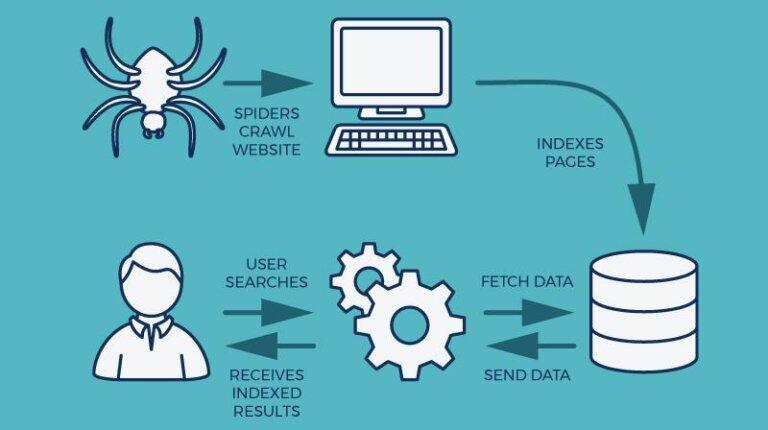
An SEO plugin helps WordPress users control important search-related elements such as page titles, meta descriptions, canonical information, XML sitemaps and other technical or on-page settings.
Yoast SEO is one established WordPress option. Its readability and SEO checks can help beginners notice potential weaknesses, although an optimization indicator should never replace useful content or editorial judgment.
What an SEO Plugin Can Help With
- SEO titles
- Meta descriptions
- Canonical URLs
- XML sitemaps
- Search appearance settings
- Basic on-page optimization guidance
SEO plugins provide signals and recommendations. They do not guarantee rankings, traffic or indexing.
Google Analytics — Understand Website Visitors
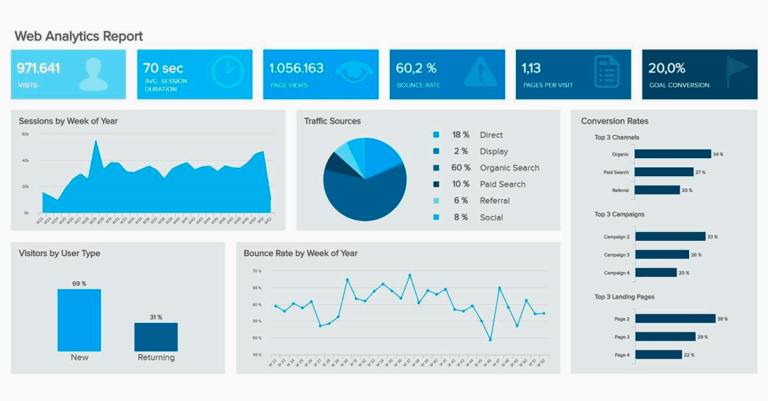
Analytics software helps publishers understand what visitors do after reaching a website.
Rather than checking visitor totals repeatedly, new bloggers should use analytics to answer practical questions such as which pages attract readers, where visitors come from and which content encourages further engagement.
| Question | What Analytics Can Help Show |
|---|---|
| Which pages attract visitors? | Page and landing-page performance |
| Where do visitors come from? | Traffic acquisition information |
| Which content keeps attention? | Engagement patterns |
| Which actions matter? | Configured events and conversions |
Elementor — Visual WordPress Page Builder
Elementor is a visual website-building system for WordPress. It allows users to create and adjust layouts through a visual interface rather than coding every page section manually.
A blogger satisfied with the WordPress block editor may not require another builder. Someone developing custom homepages, resource hubs, academy pages, landing pages and other structured layouts may find a visual builder more useful.
A blogger can publish normal articles using the WordPress editor while using Elementor only for the homepage, Start Here page, academy hubs and major landing pages.
Canva — Blog Graphics and Visual Content
Bloggers often need featured images, social graphics, simple diagrams, Pinterest graphics, downloadable resources and visual explanations.
Canva provides an accessible design workflow for people who are not professional graphic designers. Every image should support understanding, branding or distribution rather than exist only as decoration.

Design tools provide the most value when visuals improve understanding, branding or content distribution.
LiteSpeed Cache — Website Performance
Website speed affects user experience and can influence how efficiently readers interact with a blog.
LiteSpeed Cache for WordPress combines caching and several optimization features. Some optimization capabilities can be used more broadly, while server-level caching capabilities depend on the website's hosting environment or compatible services.
Common Performance Tasks
- Page caching
- Image optimization
- Lazy loading
- CSS optimization
- JavaScript optimization
- Database optimization
- Cache management
Cloudflare — CDN, DNS and Website Protection
Cloudflare offers infrastructure services that can sit between website visitors and an origin server.
Depending on configuration and plan, those services can support DNS management, content delivery, caching, encryption and protection against certain types of unwanted traffic.
Using several caching, CDN and optimization systems with overlapping settings can create unnecessary complexity or conflicts. Change one layer at a time and test the website afterward.
UpdraftPlus — WordPress Backups
Backups are one of the least exciting website tools until a site experiences a serious problem.
A useful backup needs to exist, run reliably and be restorable. A complete backup strategy should protect the website database, uploaded media, themes, plugins and important configuration.
Backup Checklist
- Website database
- Uploads
- Themes
- Plugins
- Off-site storage where appropriate
- A known restoration process
Wordfence — WordPress Security
WordPress security requires more than installing one plugin.
Strong passwords, software updates, trusted plugins and themes, suitable permissions, hosting security and reliable backups all contribute to website protection.
UPDATES + STRONG LOGINS + TRUSTED SOFTWARE + SECURITY CONTROLS + BACKUPS + MONITORING = STRONGER WEBSITE RESILIENCE
Image Optimization Tools
Large images can make pages unnecessarily heavy. Image optimization tools can reduce file size, create more efficient image formats where appropriate and help publishers avoid uploading oversized uncompressed files.
This becomes particularly important for websites using many featured images, screenshots, product comparisons or visual tutorials.
Email Marketing Platforms
An email list gives a publisher a way to reach readers without depending entirely on search engines or social-media algorithms.
A beginner does not necessarily need complicated funnels or advanced automation. A clear signup form and genuinely useful newsletter can be enough to establish the first stage.
Evaluate Email Platforms By
- Subscriber limits
- Email sending limits
- Automation capabilities
- Signup forms
- Deliverability features
- Pricing as the list grows
- Integrations
- Data export options
Grammarly — Writing and Proofreading Assistance
Grammar and editing software can help identify spelling, clarity and sentence-level problems. Automated editing software cannot understand every editorial decision, so bloggers should review recommendations instead of accepting every suggested change automatically.
ChatGPT — Research and Workflow Assistance
Artificial-intelligence tools can assist with brainstorming, outlining, comparing ideas, organizing research, understanding unfamiliar concepts and reviewing drafts.
They can also generate incorrect or outdated information. For factual, financial, legal, medical, technical or time-sensitive claims, bloggers should verify important information against appropriate reliable sources.
Google Keyword Planner — Keyword Research
Google Keyword Planner can provide keyword and advertising-planning information that may also help publishers understand how people describe topics.
Bloggers should not treat keyword volume as the only measure of whether an article deserves to exist. Search intent, topical relevance, competition and the ability to produce genuinely useful content matter as well.
Google Trends — Understand Search Interest
Google Trends is useful for comparing relative search interest across time and locations. It can help identify seasonal topics, emerging interest and changing terminology.
It should be treated as directional research rather than an exact search-volume calculator.
Semrush — Advanced SEO Research
Semrush provides a broad collection of search, competitive-research and digital-marketing tools. It can become useful when a blogger has enough content and search activity to justify deeper analysis.
Ahrefs — SEO and Backlink Research
Ahrefs is another established platform used for search, website and backlink research. Its strongest value often appears after a site has moved beyond basic setup and requires deeper competitive or link analysis.
Semrush vs Ahrefs for Beginners
| Factor | Semrush | Ahrefs |
|---|---|---|
| General SEO Research | Strong | Strong |
| Backlink Research | Strong | Strong |
| Keyword Research | Strong | Strong |
| Beginner Necessity | Usually not essential at launch | Usually not essential at launch |
| Best Stage | Growing website | Growing website |
Before paying for advanced SEO software, ask whether the tool will change a decision you can actually execute. A sophisticated dashboard provides limited value if your website still needs basic content, site-structure and internal-link improvements.
Pretty Links — Link Management
Blogs that eventually use affiliate links or repeated destination URLs can benefit from organized link management.
A link-management system should never be used to conceal misleading destinations or avoid appropriate affiliate disclosures.
If MoneyOnliners or another publisher earns compensation from qualifying links, readers should receive an appropriate disclosure. Link-management software does not remove that responsibility.
Social Scheduling Tools
Social scheduling platforms can help bloggers distribute new and existing content without manually publishing every social update. They become more useful after the site has a repeatable publishing and distribution process.
Website Form Tools
Forms can collect contact requests, newsletter signups, applications, feedback and other structured information.
The right tool depends on the information the website genuinely needs. Publishers should avoid collecting unnecessary personal information simply because a form builder makes it technically possible.
Payment Tools
Some bloggers eventually sell services, digital products, subscriptions or other legitimate offers.
The right payment platform depends on country availability, supported currencies, transaction fees, payout options, customer payment methods and the business model.
Uptime Monitoring Tools
An uptime monitor checks whether a website remains accessible. Monitoring becomes more valuable as a blog gains traffic or revenue because extended outages can affect readers and business activity.
Google PageSpeed Insights — Performance Diagnostics
PageSpeed Insights helps website owners investigate performance and Core Web Vitals information.
The objective is not simply to chase a perfect performance score. The more meaningful goal is to create a website that loads efficiently and provides a good experience for real visitors.

Performance tools are most useful when they identify practical improvements rather than turning optimization into a competition for a perfect score.
The MoneyOnliners Beginner Website Tool Roadmap
| Stage | Primary Goal | Recommended Tool Types |
|---|---|---|
| Launch | Create the website foundation | Hosting, WordPress and appropriate theme |
| Protect | Reduce operational risk | Backups, security and software updates |
| Measure | Understand performance | Analytics |
| Optimize | Improve SEO and speed | SEO plugin, caching and image optimization |
| Publish | Build useful content consistently | Writing, design and content workflow tools |
| Build Audience | Create repeat readership | Email and social distribution tools |
| Grow Search Traffic | Expand search opportunity | Keyword and advanced SEO research |
| Monetize | Build legitimate revenue systems | Link management, payment and conversion tools |
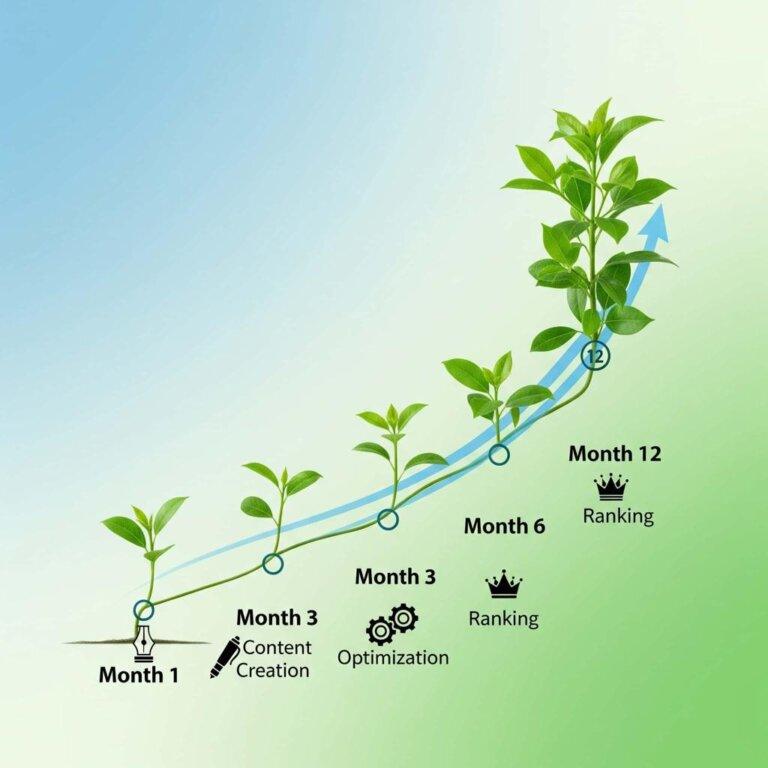
LAUNCH → PROTECT → MEASURE → OPTIMIZE → PUBLISH → DISTRIBUTE → GROW → MONETIZE
Free vs Paid Blogging Tools
A free tool is not automatically inferior. Likewise, paying for software does not guarantee that your website will grow faster.
| Situation | Better Starting Approach |
|---|---|
| New blog with almost no traffic | Use strong free tools wherever practical |
| Tool saves substantial recurring time | Consider whether a paid upgrade is justified |
| Free limits block an important workflow | Compare paid alternatives |
| Tool only provides interesting data | Do not automatically pay |
| Website already generates revenue | Evaluate software against measurable return and risk |
MoneyOnliners Website Tool Scorecard
Use this scorecard before installing or purchasing another blogging tool. Give each question a score from 0 to 2.
| Question | Score |
|---|---|
| Does this solve a problem I currently have? | 0–2 |
| Will I use it regularly? | 0–2 |
| Can my existing tools already solve the problem? | 0–2 |
| Is the total cost reasonable? | 0–2 |
| Can I export important data if I leave? | 0–2 |
| Does it integrate with my current website? | 0–2 |
| Is it simple enough to maintain? | 0–2 |
| Does it reduce meaningful risk or workload? | 0–2 |
| Can I measure whether it is helping? | 0–2 |
| Would I still buy it without a limited-time promotion? | 0–2 |
A high score does not automatically make a tool necessary. However, a very low score is a strong reason to delay a purchase.
Example: Building a Practical Beginner Tool Stack
Imagine Maya launches a personal-finance blog.
Her first objective is publishing 30 genuinely useful articles rather than building an expensive software stack.
She starts with hosting, WordPress, an SEO plugin, analytics, backups and basic performance optimization.
After publishing consistently, she adds an email signup system and simple design workflow.
Only when her search traffic grows does she consider paying for more advanced competitive SEO research.
By delaying optional subscriptions, Maya keeps more of her budget available for website expenses that are actually necessary.
Key Lesson
Buy tools according to the stage of your website, not according to the size of another publisher's technology stack.
12 Website Tool Mistakes New Bloggers Should Avoid
Installing Too Many Plugins
More plugins create more software to update, understand and troubleshoot.
Buying Tools Before Publishing Content
Software cannot substitute for building useful pages and articles.
Paying for Duplicate Features
Check whether your hosting platform, theme or existing plugin already provides the capability.
Chasing SEO Scores
Optimization indicators are guidance rather than ranking guarantees.
Ignoring Backups
A website without recoverable backups carries unnecessary operational risk.
Ignoring Renewal Prices
Introductory discounts can make the first billing period very different from the long-term cost.
Using Multiple Caching Systems Incorrectly
Overlapping performance settings can create unexpected website behavior.
Automating Before Building a Process
Automation works best after you understand the workflow being automated.
Treating AI as a Factual Source
Important claims still need independent verification.
Buying Advanced SEO Software Too Early
Advanced data provides limited value if the website still lacks enough useful content.
Keeping Tools You No Longer Use
Review recurring subscriptions periodically.
Choosing Tools Only Because Influencers Recommend Them
The best tool is the one that fits your own website, goals, budget and technical setup.

A disciplined tool-selection process can reduce unnecessary subscriptions and keep the blogging workflow easier to manage.
Why the Best Website Tools for New Bloggers Matter
Good Tools Reduce Technical Friction
1. The best website tools for new bloggers matter because beginners already have many new skills to learn at the same time.
2. A reliable publishing system removes some of the technical friction between an idea and a finished article.
3. Good hosting gives the website a stronger operational foundation.
4. Backup tools reduce the risk that one mistake destroys months of work.
5. Performance tools can help publishers identify website problems that would otherwise remain difficult to see.
Measurement Supports Better Decisions
6. The best website tools for new bloggers also provide information about what is actually happening on the site.
7. Analytics can help a publisher understand how visitors interact with the website.
8. Keyword research can show how audiences describe topics and compare different phrases.
9. Trend tools can provide additional context when planning future content.
10. This information helps bloggers replace some assumptions with measurable evidence.
The Right Tools Can Support Content Quality
11. Writing tools can help identify errors, while design tools can make complex ideas easier to understand visually.
12. SEO tools can remind publishers about titles, metadata and site structure.
13. Link-management and research workflows can make larger content libraries easier to maintain.
14. Email tools can create a direct relationship between the publisher and returning readers.
15. However, no website tool can compensate permanently for weak, inaccurate or unhelpful content.
Tool Discipline Protects the Business
16. Choosing the best website tools for new bloggers is partly a financial decision because recurring software costs can accumulate quickly.
17. A small website does not automatically need the same technology stack as a mature media company.
18. Bloggers who evaluate tools according to genuine problems are less likely to waste money on duplicate subscriptions.
19. As traffic and revenue increase, additional tools can be introduced when they create measurable operational or commercial value.
20. Ultimately, the best website tools for new bloggers matter because they support a simpler path from launching a website to publishing consistently, understanding performance, protecting the site, growing an audience and developing sustainable monetization systems.
Incoming Link Opportunities
Blogging for Beginners
https://moneyonliners.com/blogging-for-beginners/
Building Topical Authority: SEO Basics
https://moneyonliners.com/building-topical-authority-seo-basics/
Internal Linking & Content Structure
https://moneyonliners.com/internal-linking-content-structure/
Traffic Growth Basics: Search & Social
https://moneyonliners.com/traffic-growth-basics/
High-Priority Incoming Links
Start Here
https://moneyonliners.com/start-here/
Tools & Resources
https://moneyonliners.com/tools/
Make Money Online Academy
https://moneyonliners.com/make-money-online-academy/
Learn Academy
https://moneyonliners.com/learn-academy/
Topic Cluster Incoming Links
Affiliate Marketing for Beginners
https://moneyonliners.com/affiliate-marketing-for-beginners/
Blogging Monetization
https://moneyonliners.com/blogging-monetization/
Building an Email List and Simple Funnels
https://moneyonliners.com/building-email-list-simple-funnels/
Continue Learning on MoneyOnliners
Tools & Resources
https://moneyonliners.com/tools/
Blogging for Beginners
https://moneyonliners.com/blogging-for-beginners/
Affiliate Marketing for Beginners
https://moneyonliners.com/affiliate-marketing-for-beginners/
Learn Academy
https://moneyonliners.com/learn-academy/
Recommended External Resources
The resources below are official documentation centers or official product websites. They are useful when you need current primary information about WordPress, SEO, analytics, website building, performance, security, design and advanced research tools.
WordPress & Website Building
WordPress Official Documentation
The official WordPress documentation covers publishing, media, installation, maintenance, security, customization and many other WordPress fundamentals.
New bloggers can use it to understand the platform itself before relying on theme-specific or plugin-specific tutorials.
Official Resource:
https://wordpress.org/documentation/
WordPress Getting Started
This part of the official WordPress documentation focuses on the early stages of learning WordPress, including basic terminology, publishing and site management.
Official Resource:
https://wordpress.org/documentation/category/where-to-start/
Elementor Help Center
Elementor's official documentation explains its visual editor, widgets, layout tools, responsive controls, templates, theme-building features and troubleshooting steps.
If an Elementor interface changes, its current documentation is usually a safer reference than an old third-party tutorial.
Official Resource:
https://elementor.com/help/
SEO & Content Research
Yoast SEO Help Center
Yoast provides official guidance on configuring its WordPress SEO plugin, search appearance, XML sitemaps, metadata and readability features.
Official Resource:
https://yoast.com/help/
Google Trends
Google Trends helps publishers compare relative search interest across time, locations and related topics.
Use it to investigate seasonality, rising interest and differences between alternative terms.
Official Tool:
https://trends.google.com/
Google Keyword Planner
Keyword Planner is primarily an advertising research tool, but it can also help publishers understand keyword variations and broad demand patterns.
Search intent and content quality should still guide editorial decisions rather than keyword volume alone.
Official Tool:
https://ads.google.com/home/tools/keyword-planner/
Analytics & Performance
Google Analytics Help Center
The official Google Analytics Help Center covers setup, data collection, reports, events, integrations and troubleshooting.
It is useful when your Analytics interface differs from screenshots in an older tutorial.
Official Resource:
https://support.google.com/analytics/
Google PageSpeed Insights
PageSpeed Insights analyzes pages and provides performance information, including Core Web Vitals-related diagnostics.
Use it to identify practical performance problems rather than chasing a perfect score without considering the real user experience.
Official Tool:
https://pagespeed.web.dev/
web.dev Performance Guides
Google's web.dev performance resources explain website-speed concepts and Core Web Vitals in more detail.
This can help publishers understand why a performance recommendation matters before changing caching, images, scripts or page structure.
Official Resource:
https://web.dev/performance/
LiteSpeed Cache for WordPress
The official WordPress plugin page explains LiteSpeed Cache features and helps distinguish general optimization features from server-level LiteSpeed caching.
Official Resource:
https://wordpress.org/plugins/litespeed-cache/
CDN, Security & Backup Resources
Cloudflare Learning Center — What Is a CDN?
Cloudflare's Learning Center explains how content delivery networks work and why distributing content closer to users can improve availability and performance.
Official Resource:
https://www.cloudflare.com/learning/cdn/what-is-a-cdn/
Cloudflare CDN Security
This Cloudflare learning resource explains SSL/TLS and some of the security concepts associated with CDN infrastructure.
It is useful background reading before enabling unfamiliar network or security settings.
Official Resource:
https://www.cloudflare.com/learning/cdn/cdn-ssl-tls-security/
WordPress Security Documentation
The official WordPress hardening guide explains that website security involves multiple layers, including software updates, file permissions, passwords, hosting and maintenance practices.
Official Resource:
https://wordpress.org/documentation/article/hardening-wordpress/
UpdraftPlus
UpdraftPlus provides official information about WordPress backups, restoration and storage integrations.
Use the provider's documentation to understand exactly what is being backed up and how restoration works before depending on an automated schedule.
Official Website:
https://updraftplus.com/
Wordfence
Wordfence provides WordPress-focused security products and educational materials covering threats, firewall functions, malware scanning and website security.
Official Website:
https://www.wordfence.com/
Design, Writing & AI Resources
Canva
Canva provides online design tools for featured images, social graphics, presentations and other visual content.
Bloggers can use it to support branding and visual communication while still optimizing image file size for the web.
Official Website:
https://www.canva.com/
Grammarly
Grammarly provides writing assistance for grammar, spelling, clarity and related editing tasks.
Use automated suggestions as assistance rather than allowing software to override every editorial decision.
Official Website:
https://www.grammarly.com/
ChatGPT
ChatGPT can support brainstorming, research organization, explanations, content planning and editing workflows.
Publishers remain responsible for verifying factual claims and ensuring that finished work provides genuine editorial value.
Official Website:
https://chatgpt.com/
Advanced SEO Platforms
Semrush
Semrush provides keyword research, competitor research, backlink analysis, site auditing and other digital-marketing tools.
Its advanced feature set can become more useful once a site has enough content and search activity to justify deeper analysis.
Official Website:
https://www.semrush.com/
Ahrefs
Ahrefs provides tools for keyword research, site analysis, competitive research and backlink analysis.
Beginners should still master basic publishing, content quality and internal linking before assuming an advanced paid SEO platform is necessary.
Official Website:
https://ahrefs.com/
Link Management & Monetization
Pretty Links
Pretty Links is a WordPress link-management plugin commonly used for organizing recurring links and affiliate destinations.
Publishers should still provide clear affiliate disclosures when compensation may be earned from a qualifying link.
Official Website:
https://prettylinks.com/
Frequently Asked Questions
What are the best website tools for new bloggers?
The best website tools for new bloggers depend on the website platform and the problems the blogger needs to solve.
Most beginners need reliable hosting, a content-management system, SEO configuration and analytics.
Backups and basic security should also be established early.
Design, email, keyword-research and social-distribution tools can be added as the publishing workflow develops.
Advanced paid SEO software is usually optional during the earliest stage.
How many tools does a beginner blogger need?
There is no ideal number.
A beginner should aim for the smallest useful stack.
Every additional tool creates another account, setting, subscription or plugin that may require attention.
Therefore, add software when a clear need appears.
Do not treat having a large technology stack as evidence of having a professional blog.
Do I need paid SEO tools when starting a blog?
Usually, no.
Free tools can cover many important beginner requirements.
Keyword Planner and Google Trends can support topic research.
An SEO plugin can also help with basic on-page configuration.
Paid platforms become easier to justify when the website has enough content, traffic or revenue to benefit from deeper research.
Is WordPress good for new bloggers?
WordPress can be a strong option for beginners who want long-term flexibility and control.
It can support blogs, content hubs, business sites, ecommerce and many other website structures.
Its plugin ecosystem allows functionality to expand over time.
However, that flexibility means the website owner must manage software updates, security and compatibility.
Beginners should therefore keep the setup as simple as possible.
Do I need Google Analytics?
Analytics can be useful for understanding visitor behavior and traffic sources.
It becomes more valuable when you use it to answer specific questions rather than checking numbers constantly.
For example, you can study which pages attract visitors and which sources send traffic.
You can also configure meaningful events for important actions.
The goal is to make better editorial and website decisions, not simply collect more data.
Is Elementor necessary for blogging?
No.
WordPress can publish articles without Elementor.
A visual builder becomes useful when a blogger wants greater control over landing pages or more complex layouts.
Using fewer systems can sometimes make a website easier to maintain.
Choose Elementor or another builder according to design requirements rather than assuming every WordPress site needs one.
Can ChatGPT write blog posts?
AI tools can assist with brainstorming, outlining, editing and research workflows.
They can also generate draft text.
However, AI-generated information can contain errors or outdated claims.
Publishers remain responsible for checking facts, adding genuine expertise, improving originality and following appropriate editorial standards.
AI should support the content process rather than replace accountable editorial review.
When should I pay for Semrush or Ahrefs?
Consider advanced SEO software when it answers questions you cannot efficiently solve with your existing tools.
A growing website may need deeper competitor, keyword or backlink research.
A professional SEO workflow may also justify more sophisticated software.
However, paying for more data will not fix a website that lacks useful content or basic technical maintenance.
Evaluate the cost against measurable value.
Which website tool should a new blogger buy first?
If the blog is self-hosted, hosting is usually among the first necessary expenses.
Many other important tools have useful free versions.
A beginner should establish publishing, SEO, measurement, backups and basic performance before adding expensive optional software.
The next purchase should solve the most important current bottleneck.
This keeps the technology stack aligned with actual website growth.
Research Methodology
MoneyOnliners developed this guide by separating website tools into eight practical functions: infrastructure, publishing, search optimization, measurement, performance, protection, audience growth and monetization.
Official platform information and documentation were used as primary reference points where appropriate.
The evaluation does not assume that the most expensive or feature-rich product is automatically the strongest choice for a beginner.
Instead, tools are evaluated according to the problem they solve, ease of adoption, potential cost, overlap with existing tools and how likely the technology is to remain useful as a website grows.
Prices, plan limits, free-tier restrictions, interfaces and individual features can change. Readers should therefore verify current terms directly with each provider before purchasing a subscription.
MoneyOnliners does not claim that using any website tool guarantees traffic, search rankings, advertising approval, affiliate income or blogging success.
First-Hand Evidence Standard
MoneyOnliners does not claim first-hand testing of every product included in this guide.
Where genuine MoneyOnliners workflows, screenshots, performance observations or product tests are available, they should be identified clearly as first-hand evidence.
General product descriptions should not be presented as personal experience unless the product was actually used and documented.
Likewise, hypothetical blogging examples in this guide are illustrations rather than claims about guaranteed results.
Commercial Content and Affiliate Disclosure
Some website tools discussed by MoneyOnliners may operate affiliate programs.
If an article contains an affiliate link and MoneyOnliners may receive compensation from a qualifying purchase, that commercial relationship should be disclosed clearly.
Affiliate availability does not determine whether a product deserves inclusion.
Recommendations should be based on relevance, practical usefulness, limitations, value and suitability for the intended reader.
Readers should compare current pricing and terms directly with providers before purchasing.
Limitations
Website tools change frequently.
Providers can modify features, pricing, interfaces, free plans, integrations and product names.
The ideal setup also varies according to hosting environment, location, website size, audience, technical skills and business model.
For that reason, this guide should be treated as a decision framework rather than a requirement to install every product listed.
Conclusion: Build a Smaller, Smarter Blogging Tool Stack
Starting a blog does not require collecting every piece of software recommended on the internet.
It requires solving the right problems in the right order.
Begin with the website foundation. Choose reliable hosting, a publishing system, basic SEO configuration, analytics, backups and sensible security.
Then focus on publishing content that genuinely helps readers.
As the website grows, add design, email, research, automation and monetization tools when they solve a real bottleneck.
Advanced software can create useful efficiencies, but it should support the work rather than become the work.
Review subscriptions regularly and remove tools that duplicate functions or no longer provide enough value.
Most importantly, remember that no plugin, dashboard or subscription can replace useful content, sound judgment and consistent improvement.
STRONG FOUNDATION + USEFUL CONTENT + MEASUREMENT + PROTECTION + SMART OPTIMIZATION + AUDIENCE GROWTH + COST DISCIPLINE = A STRONGER BLOGGING SYSTEM
The best website tools for new bloggers are therefore not necessarily the tools with the longest feature lists. They are the tools that help you publish effectively, understand your audience, protect your work, improve your website and grow without creating more cost and complexity than your blog actually needs.