25 Best Tools for Freelancers to Work Smarter and Earn More
25 Best Tools for Freelancers to Work Smarter and Earn More
The right freelancer tools can help you find clients, organize projects, create better work, communicate professionally, track time, invoice faster and receive payments with less friction. This guide compares 25 practical tools across the full freelance workflow.
Freelancers often focus on skill first—and that is correct. A tool cannot replace strong writing, design, coding, marketing, consulting or customer-service ability.
But once you begin working with real clients, the quality of your system matters too. Missing deadlines, losing files, forgetting follow-ups, underpricing work or making payment difficult can reduce income even when your core skill is good.
The best tools for freelancers are therefore not the apps with the longest feature lists. They are the tools that remove friction from the parts of freelancing that happen again and again.
Quick Answer
The best freelancer toolkit combines five things: client acquisition, production, communication, business organization and reliable payment.
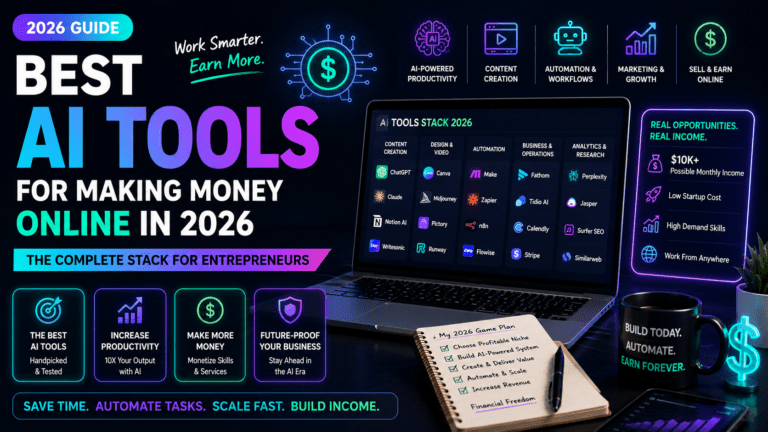
For many freelancers, a practical starter stack could be ChatGPT + Notion + Canva + Google Workspace + Calendly + Toggl Track + Wave + Wise, then add marketplace, SEO, design or project-management tools only when your work actually requires them.
You do not need all 25 tools in this guide. Start with free plans where possible and upgrade only when a paid feature saves more time or creates more income than it costs.
25 Best Freelancer Tools at a Glance
| Tool | Best For | Start Free? | MoneyOnliners Take |
|---|---|---|---|
| ChatGPT | Research, writing, analysis and workflows | Yes | Best all-around AI assistant |
| Notion | Projects, notes and client systems | Yes | Best flexible workspace |
| Canva | Graphics, presentations and social content | Yes | Best for non-designers |
| Grammarly | Writing quality and editing | Yes | Useful for client-facing writing |
| Google Workspace | Email, Docs, Sheets and Drive | Consumer tools partly free | Strong professional foundation |
| Slack | Client and team communication | Yes | Useful when clients already use it |
| Zoom | Client calls and meetings | Yes | Reliable meeting standard |
| Trello | Simple visual task management | Yes | Easy starter project board |
| Asana | Structured project management | Yes | Better for complex client projects |
| ClickUp | All-in-one project operations | Yes | Powerful but can feel busy |
| Calendly | Scheduling | Yes | Removes meeting back-and-forth |
| Toggl Track | Time tracking | Yes | Excellent for hourly work |
| Clockify | Time tracking and timesheets | Yes | Strong budget option |
| Loom | Async video communication | Yes | Great for explanations and handoffs |
| Dropbox | File sharing and storage | Yes | Useful for large client files |
| Wave | Invoicing and small-business accounting | Yes, depending on service | Good starting finance tool |
| FreshBooks | Invoicing and client accounting | Trial/paid | Good for service businesses |
| Wise | International payments and currencies | Account-based | Strong cross-border option |
| Payoneer | Marketplace and international payments | Account-based | Useful for platform-based freelancers |
| Upwork | Finding freelance clients | Yes | Large marketplace, competitive |
| Fiverr | Selling packaged services | Yes | Good for productized offers |
| FlexJobs | Remote and flexible opportunities | No full access | Useful for vetted job search |
| Networking and direct client outreach | Yes | Essential professional presence | |
| Semrush | SEO research and marketing | Limited access/trials | Best for SEO-heavy freelancers |
| WordPress | Portfolio and business website | Software is free | Best long-term owned web presence |
Table of Contents
1. How We Chose These Freelancer Tools 2. The Freelancer Tool Stack Framework 3. ChatGPT 4. Notion 5. Canva 6. Grammarly 7. Google Workspace 8. Slack 9. Zoom 10. Trello 11. Asana 12. ClickUp 13. Calendly 14. Toggl Track 15. Clockify 16. Loom 17. Dropbox 18. Wave 19. FreshBooks 20. Wise 21. Payoneer 22. Upwork 23. Fiverr 24. FlexJobs 25. LinkedIn 26. Semrush 27. WordPress 28. Best Freelancer Tool Stacks by Type 29. How Much Should Freelancers Spend on Tools? 30. Common Freelancer Tool Mistakes 31. Why the Best Tools for Freelancers Matter 32. Recommended External Resources 33. Frequently Asked Questions 34. Research Methodology 35. About the Author 36. Final VerdictHow We Chose These Freelancer Tools
MoneyOnliners evaluated tools according to real freelancer workflows rather than popularity alone.
| Factor | Why It Matters |
|---|---|
| Income Potential | Does the tool help find, win, deliver or retain paid work? |
| Time Savings | Does it reduce repetitive administration? |
| Professionalism | Does it improve communication, delivery or client trust? |
| Beginner Friendliness | Can a new freelancer use it without a complex setup? |
| Free Entry | Can freelancers test the workflow before spending heavily? |
| Scalability | Can the tool remain useful as client volume grows? |
| Specialization | Does it solve a meaningful freelancer-specific problem? |
| Tool Overlap | Can one tool replace several subscriptions? |
The Freelancer Tool Stack Framework
FIND CLIENTS → WIN WORK → DELIVER WELL → TRACK TIME → INVOICE → GET PAID → FOLLOW UP → BUILD REPEAT BUSINESS
The smartest stack covers the entire client journey without buying duplicate tools.

A freelancer tool stack should reduce friction from first contact through final payment.
ChatGPT
AIResearchWritingAnalysisBest for: AI-assisted research, drafting, analysis and workflows.
ChatGPT can help freelancers brainstorm offers, research industries, summarize documents, draft client communications, analyze files, improve proposals, create structured deliverables and support coding or business tasks.
Its value is highest when you provide strong context and verify important outputs. It should accelerate professional work—not replace judgment.
Notion
ProjectsCRMKnowledgeBest for: organizing clients, projects, notes and repeatable systems.
Notion combines documents, databases, tasks, forms and knowledge in one flexible workspace. Freelancers can build a client CRM, content calendar, project tracker, proposal library or business dashboard.
The Free plan is strong for solo users, while current paid plans add more collaboration and workspace capabilities.
Canva
DesignPresentationsSocialBest for: fast visual content without advanced design software.
Canva is useful for proposals, social graphics, presentations, client reports, portfolios, lead magnets and basic brand assets.
Free is enough for occasional work. Pro becomes more useful when premium assets, brand tools, resizing and background removal save repeated time.
Grammarly
WritingEditingBest for: improving clarity in emails, proposals and written deliverables.
Freelancers are judged partly by communication. Grammarly can help catch grammar problems, improve readability and polish client-facing writing.
It is especially helpful for writers, virtual assistants, marketers, consultants and freelancers working in English as an additional language.
Google Workspace
EmailDocsDriveBest for: professional email and collaborative client files.
Google Workspace brings Gmail, Drive, Docs, Sheets, Slides, Meet and business administration together.
A custom-domain email address can also look more professional than using a personal free address when pitching established clients.

Communication tools should make it easier for clients to understand progress, decisions and next steps.
Slack
CommunicationTeamsBest for: ongoing communication with clients and distributed teams.
Slack is useful when a freelancer works closely with an internal client team. Channels, threads, files and integrations can reduce messy email chains.
Do not force Slack on every client. Use the communication system that makes collaboration easiest for the buyer.
Zoom
MeetingsCallsBest for: discovery calls, consultations, interviews and client meetings.
Video calls remain important for building trust, discussing complex projects and resolving questions quickly.
A reliable meeting workflow also helps freelancers sell higher-value services where clients want direct access and discussion.
Trello
ProjectsKanbanBest for: simple visual project management.
Trello's board-and-card structure is easy to understand and works well for small projects, editorial pipelines and client delivery checklists.
It is a good choice when you need visibility but do not want a complex project system.
Asana
ProjectsTeamsBest for: structured client projects with multiple tasks and stakeholders.
Asana supports task ownership, due dates, project views and collaborative workflows.
It becomes more useful as project complexity grows beyond a simple to-do list.
ClickUp
ProjectsOperationsBest for: freelancers wanting an all-in-one project and operations tool.
ClickUp combines tasks, documents, dashboards and other productivity features in one environment.
Its breadth can reduce tool switching, but beginners should avoid turning on every feature before they understand the workflow they actually need.
Calendly
SchedulingSalesBest for: eliminating meeting-scheduling back-and-forth.
Calendly lets clients choose from your available times. That can make discovery calls, consultations and recurring meetings easier to schedule.
For freelancers selling calls or consultations, smoother scheduling can directly support conversion.
Toggl Track
Time TrackingBillingBest for: understanding where working hours actually go.
Hourly freelancers can use Toggl Track to record billable time, while fixed-price freelancers can use the data to see whether projects are taking longer than expected.
That information can improve future pricing.
Clockify
Time TrackingTimesheetsBest for: budget-conscious freelancers who need time tracking.
Clockify is another strong option for timesheets, project time and productivity measurement.
You do not need both Clockify and Toggl Track. Test them and keep the one that feels easiest to use consistently.
Loom
VideoAsyncBest for: explaining work without scheduling another meeting.
Loom makes it easy to record your screen and voice for design feedback, website walkthroughs, tutorials, project updates and handoffs.
Clear asynchronous explanations can reduce meetings while making a freelancer appear more organized and professional.
Dropbox
FilesSharingBest for: sharing larger files and keeping client assets organized.
Dropbox remains useful for designers, photographers, video editors and other freelancers who exchange large files.
Keep folder structures simple and define which version of a file is final to avoid client confusion.

Getting paid efficiently is part of the freelancer workflow, not an afterthought.
Wave
InvoicesAccountingBest for: simple invoicing and basic small-business finance.
Wave can help freelancers create invoices, organize transactions and manage basic financial administration, with availability and paid features depending on location and service.
It is most useful when spreadsheets are starting to become difficult to maintain.
FreshBooks
InvoicesAccountingBest for: freelancers and service businesses that want more structured client accounting.
FreshBooks focuses on invoices, expenses, time and client-centered accounting workflows.
Its value increases when professional invoicing and financial organization save time every month.
Wise
PaymentsInternationalBest for: receiving, holding and converting international currencies where supported.
Wise can be useful for freelancers working with clients in other countries because its multi-currency tools and transparent conversion model can simplify cross-border payments.
Fees and availability vary by country, currency and payment route.
Payoneer
PaymentsMarketplacesBest for: freelancers receiving marketplace and international business payments.
Payoneer is widely integrated with freelance marketplaces and global platforms and can provide local-style receiving details to eligible users.
Fees depend on route, account and region, so calculate the real cost before choosing it for every client.
Upwork
ClientsMarketplaceBest for: finding freelance projects across many professional categories.
Upwork gives freelancers access to a large marketplace, but competition can be intense and proposals require strategy.
The best results usually come from a focused profile, relevant portfolio, selective proposals and strong delivery—not mass applying.
Fiverr
ClientsProductized ServicesBest for: selling clearly packaged freelance services.
Fiverr works differently from a traditional proposal marketplace because sellers can package services into Gigs that buyers discover and purchase.
It works best when your offer has a clear outcome, scope and price.
FlexJobs
Remote JobsVetted ListingsBest for: freelancers and professionals looking for screened remote and flexible opportunities.
FlexJobs charges for full access and says every listing is screened before publication.
It is most valuable when you are conducting an active remote-job search and want to reduce time spent filtering low-quality listings.
Best for: building professional visibility and finding clients outside marketplaces.
A freelancer's long-term goal should usually include reducing dependence on one marketplace. LinkedIn can help by making your expertise, work history, portfolio and content discoverable to potential clients.
Direct relationships can also reduce marketplace fee dependence.
Semrush
SEOMarketingBest for: SEO freelancers, content strategists and digital marketers.
Semrush offers keyword research, competitor analysis, Site Audit, rank tracking, backlinks and AI-visibility tools.
It is powerful but relatively expensive, so general freelancers should not subscribe unless SEO data is central to paid client work.
WordPress
WebsitePortfolioOwnershipBest for: building an owned freelancer website and portfolio.
A freelance marketplace profile belongs to the platform. A WordPress website gives you an asset you control.
Use it to explain services, publish case studies, collect leads, show testimonials, rank in search and give clients a professional place to verify your work.
Best Freelancer Tool Stacks by Type
| Freelancer Type | Practical Starter Stack |
|---|---|
| Writer | ChatGPT + Grammarly + Google Workspace + Notion + Toggl Track + Wise |
| Graphic Designer | Canva + Dropbox + Notion + Calendly + Wave/FreshBooks + Wise |
| Virtual Assistant | Google Workspace + Slack + Notion + Calendly + Toggl Track + Payoneer |
| SEO Freelancer | Semrush + Google Workspace + Notion + Loom + Toggl Track + WordPress |
| Web Freelancer | WordPress + ChatGPT + Loom + ClickUp/Asana + Calendly + Wise |
| Beginner Without Clients | LinkedIn + Upwork/Fiverr + Google Workspace + Notion + Canva |
How Much Should Freelancers Spend on Tools?
There is no universal number.
A new freelancer should generally keep fixed software expenses low until client revenue becomes consistent.
Free plans can cover a surprising amount of work. Upgrade when you can point to a specific limitation: larger files, more automation, better client collaboration, international payment needs, advanced research or increased volume.
Real-World Example: The $0-to-First-Client Stack
A beginner could create a LinkedIn profile, use free Canva for portfolio samples, organize outreach in Notion, communicate through Gmail/Google Docs and track work with free time-tracking software.
That is enough to start searching for clients without building a large monthly software bill.
Mini Case Study: The Growing SEO Freelancer
Imagine an SEO freelancer with four recurring clients. Free keyword tools are taking too long, technical checks are fragmented and each monthly report requires several manual steps.
At that point, a professional SEO subscription may save hours and make client delivery stronger. The purchase is justified by the workflow and client revenue—not because the tool is popular.
Mini Case Study: The International Virtual Assistant
A virtual assistant may use Google Workspace for documents, Slack for client communication, Notion for task tracking and Wise or Payoneer for international payments.
The stack stays relatively simple because each tool solves a separate business problem.
12 Freelancer Tool Mistakes That Waste Money
Buying Tools Before Getting Clients
A software stack cannot replace client acquisition.
Paying for Duplicate Features
Do not maintain three project-management apps when one works.
Choosing Tools Because Influencers Use Them
Your workflow may be completely different.
Ignoring Free Plans
Test the workflow before upgrading.
Not Tracking Subscription Renewals
Small monthly charges can become a large annual expense.
Ignoring Payment Fees
Compare what you actually receive after conversion and withdrawal costs.
Overautomating Client Communication
Efficiency should not make clients feel ignored.
Using AI Without Verification
Review facts, calculations, tone and deliverables.
Building Complicated Productivity Systems
Systems should reduce work, not create more.
Not Measuring Project Time
You cannot improve pricing if you do not know how long work takes.
Depending on One Marketplace
Build direct relationships and an owned professional presence.
Keeping Tools After They Stop Paying for Themselves
Review subscriptions regularly.
Why the Best Tools for Freelancers Matter
Tools Can Increase Capacity
1. The best tools for freelancers matter because earning more is often connected to serving clients more efficiently.
2. Time saved on administration can be redirected toward paid work or client acquisition.
3. Templates and repeatable systems reduce unnecessary rework.
4. Better communication can reduce misunderstandings and revisions.
5. Strong organization makes it easier to handle multiple clients without losing control.
Professional Systems Build Trust
6. The best tools for freelancers matter because clients notice how work is managed as well as how it is produced.
7. Professional scheduling can improve the first impression.
8. Organized proposals and documents make decisions easier for clients.
9. Clear project tracking creates confidence during delivery.
10. Reliable invoicing and payment options reduce friction at the end of the project.
Tools Can Improve Pricing Decisions
11. The best tools for freelancers matter because time tracking reveals whether projects are truly profitable.
12. A project that looks profitable may become weak once hidden hours are counted.
13. Financial tools make it easier to see revenue, costs and outstanding invoices.
14. Payment platforms can affect how much money actually reaches you.
15. Better information supports better rates and project selection.
The Goal Is a Lean, Useful Stack
16. The best tools for freelancers matter because too many subscriptions can reduce profit.
17. Free plans are valuable while your business is still proving demand.
18. Paid features become worth considering when they solve a measurable bottleneck.
19. Your stack should evolve as clients, income and complexity grow.
20. Ultimately, the best tools for freelancers are the smallest set of tools that help you find better clients, deliver excellent work, save time, get paid reliably and build a more sustainable freelance business.
Incoming Link Opportunities
20 Best Freelance Jobs for Beginners With No Experience
https://moneyonliners.com/best-freelance-jobs-for-beginners-no-experience/
AI Tools for Freelancers
https://moneyonliners.com/ai-tools-for-freelancers/
Upwork Review
https://moneyonliners.com/upwork-review/
High-Priority Incoming Links
Tools & Resources
https://moneyonliners.com/tools/
Freelancing for Beginners
https://moneyonliners.com/freelancing-for-beginners/
Learn Academy
https://moneyonliners.com/learn-academy/
Topic Cluster Incoming Links
Fiverr Review
https://moneyonliners.com/fiverr-review/
FlexJobs Review
https://moneyonliners.com/flexjobs-review/
Wise Review
https://moneyonliners.com/wise-review/
Payoneer Review
https://moneyonliners.com/payoneer-review/
Continue Learning on MoneyOnliners
ChatGPT Review
https://moneyonliners.com/chatgpt-review/
Notion Review
https://moneyonliners.com/notion-review/
Canva Review
https://moneyonliners.com/canva-review/
Semrush Review
https://moneyonliners.com/semrush-review/
Recommended External Resources
ChatGPT
Official OpenAI product information for AI-assisted research, writing, analysis, coding and work workflows.
Notion
Official workspace and pricing information for documents, projects, databases, collaboration and Notion AI.
Canva
Official Canva product information for design, presentations, social graphics and visual content.
Google Workspace
Official business productivity suite covering Gmail, Drive, Docs, Sheets, Slides, Meet and administration.
Toggl Track
Official time-tracking platform for billable hours, project time and productivity measurement.
Upwork
Official freelance marketplace for finding projects and working with clients.
FlexJobs
Official remote and flexible job-search platform with paid access to screened listings.
Semrush
Official SEO and visibility platform for keyword research, competitor research, technical auditing and rank tracking.
Frequently Asked Questions
What are the best tools for freelancers?
The best tools depend on your type of work.
Most freelancers need tools for communication, project management, file sharing, invoicing and payments.
Many also benefit from AI, scheduling and time tracking.
Marketplaces can help beginners find clients.
The best stack is the smallest one that solves your recurring business problems.
What tools does a beginner freelancer really need?
A beginner can start very lean.
You need a way to communicate professionally.
You need a place to organize prospects and projects.
You need a way to deliver files and receive payment.
Specialized paid software can wait until real client work creates a reason to buy it.
Should freelancers pay for ChatGPT?
Not necessarily at the beginning.
ChatGPT has a free tier.
Paid access becomes easier to justify when AI is part of daily paid work.
The strongest use cases include research, drafting, analysis and workflow support.
Important outputs still require human review.
Is Notion good for freelancers?
Yes.
Notion can organize leads, clients, projects, notes and templates.
The Free plan can be enough for many solo freelancers.
Paid plans are more useful when collaboration or advanced features matter.
A simple workspace is usually better than an overbuilt one.
Is Canva useful for freelancers?
Yes, even for freelancers who are not professional designers.
It can create presentations, social graphics and proposals.
Free is strong enough for occasional work.
Pro can save time for frequent creators.
Professional designers may still need more specialized software.
Which tool is best for finding freelance clients?
There is no single best source.
Upwork is strong for project-based marketplace work.
Fiverr is useful for packaged services.
LinkedIn is strong for networking and direct relationships.
The strongest long-term strategy is usually to build more than one client-acquisition channel.
Which payment tool is best for freelancers?
The answer depends on your country, client location and currency.
Wise can be strong for international transfers and multi-currency workflows.
Payoneer is useful for many marketplace and platform payments.
Fees differ by route.
Compare the amount you actually receive after all fees and currency conversion.
Do freelancers need time tracking?
Hourly freelancers usually do.
Fixed-price freelancers can benefit too.
Time data shows whether a project is taking longer than expected.
That helps improve future pricing.
Toggl Track and Clockify are two common options.
How much should a new freelancer spend on software?
Keep fixed costs low before income becomes consistent.
Use free plans where they solve the problem adequately.
Upgrade when a paid feature removes a measurable bottleneck.
Review subscriptions regularly.
Software should support profit rather than consume it.
Can freelancer tools help me earn more?
They can support higher income, but they do not guarantee it.
Client-finding tools can expand opportunity.
Productivity tools can increase capacity.
Time and finance tools can improve pricing decisions.
Skill, positioning, client service and consistent action remain more important than software alone.
Research Methodology
This MoneyOnliners guide was updated on August 31, 2026.
Tools were selected based on practical freelancer use cases across client acquisition, communication, project management, content creation, time tracking, finance, payments and professional visibility.
Time-sensitive product facts were checked against current official product pages where relevant. For example, Notion's current U.S. pricing lists Free at $0, Plus at $10 per member per month on annual billing and Business at $20 per member per month on annual billing.
Current OpenAI materials list ChatGPT Free alongside paid individual and business options; exact plan availability and localized pricing should always be checked at purchase time.
Because software plans change frequently, this article avoids treating most prices as permanent unless the figure is central to the comparison.
MoneyOnliners recommendations, stack examples and value frameworks are independent editorial assessments.
First-Hand Evidence Standard
MoneyOnliners does not claim that using any tool in this list guarantees freelance income, client growth or time savings.
No invented revenue figures, client wins, productivity experiments or software test results are presented as first-hand evidence.
Where genuine future testing is available, MoneyOnliners should distinguish direct observations from company-provided product claims.
Commercial Content and Affiliate Disclosure
This article discusses commercial software, platforms and financial services.
Some links may become affiliate links where MoneyOnliners has an approved commercial relationship.
Any such relationship should be disclosed clearly and should not determine rankings or recommendations.
Readers should verify current prices, fees, eligibility and terms directly with each provider.
Limitations
Software changes quickly.
Features, pricing, free-plan limits and geographic availability can change after publication.
The best freelancer stack also depends on profession, client type, country and income level.
This guide is therefore a decision framework, not a requirement to subscribe to every tool listed.
Final Verdict: Which Freelancer Tools Are Actually Worth Using?
The strongest freelancer toolkit is not the largest one.
Start with tools that help you find clients, communicate professionally, deliver high-quality work, track your time, invoice clearly and receive payment reliably.
For many beginners, free versions of ChatGPT, Notion, Canva, Google tools, Calendly and a time tracker provide enough infrastructure to get started.
As income grows, paid tools such as professional accounting software, advanced AI, SEO platforms or premium productivity plans can make sense when they solve a measurable bottleneck.
MoneyOnliners recommendation: build your freelancer stack one problem at a time. Every paid tool should have a clear job and a clear reason to remain in your business.
BETTER CLIENTS + FASTER WORK + STRONGER DELIVERY + SMARTER PRICING + EASIER PAYMENTS − UNNECESSARY SUBSCRIPTIONS = A LEANER, MORE PROFITABLE FREELANCE BUSINESS